
How to Install Python 3.8 on LinuxMint
At the writing time of this article Python latest stable version 3.8 series is available to install. This article will help you to install Python 3.8 on LinuxMint operating system. You can visit here to read more about Python releases.
Step 1 – Prerequisites
Use the following command to install prerequisites for Python before installing it.
sudo apt-get install build-essential checkinstall
sudo apt-get install libreadline-gplv2-dev libncursesw5-dev libssl-dev \
    libsqlite3-dev tk-dev libgdbm-dev libc6-dev libbz2-dev libffi-dev zlib1g-dev
Step 2 – Download Python 3.8
Download Python using the following command from the python official site.
Step 3 – Install Python 3.8
Extract the .tar.xz file. Inside the Python-3.8.0 folder open terminal. Use below set of commands to install Python 3.8
./configure
make
make test
sudo make install
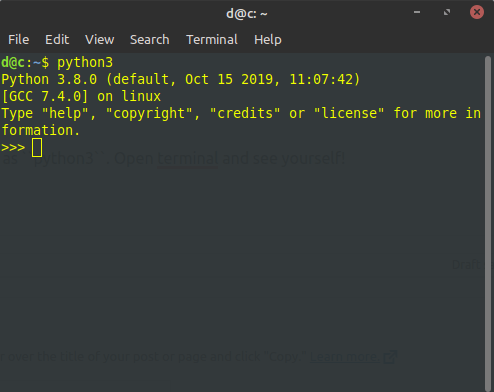
All Done! This will install Python as “python3“. Open the terminal and see yourself!
 DCB
DCB 
Reply